Properties
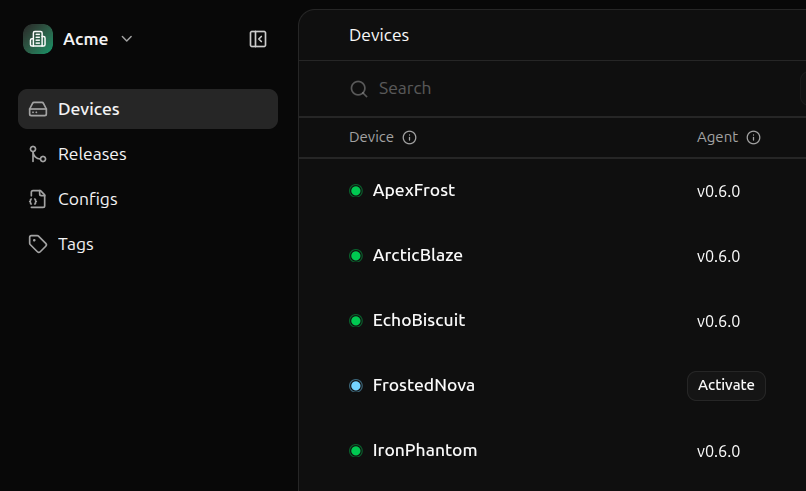
A human-readable display name that can contain most characters, such as spaces, special characters, and punctuation. Must contain between 1 and 48 characters.Examples:
Robot 11, ArcticBlaze, Scooby DooThe version of the Miru Agent running on the device.The agent version exists only if the device has a status of
online or offline. If the device is inactive or activating, the agent version is null.Examples: v0.6.0The release to which the device’s current deployment belongs.If the device is
inactive or activating, the current release id is null. If the device is online or offline, the current release may still be null if the device has no deployed config instances.Examples: rls_123Miru Agent
Configurations are deployed to devices via the Miru Agent, a lightweightsystemd service that runs on your devices, handling the deployment lifecycle of configurations.
The Miru Agent offers the following functionality:
- Syncs configurations from the cloud to the local filesystem in real-time
- Manages device state, providing real-time updates of the device’s status and the currently deployed configurations
- Exposes a REST API over a Unix socket for programmatic access by applications running on the same machine
The Miru Agent only supports Linux. Visit the supported platforms for a complete list of supported platforms.
Status
Devices leverage several states to track their registration and connectivity with the Miru servers.| Status | Description |
|---|---|
inactive | The Miru Agent has not yet been installed and authenticated |
activating | The Miru Agent is registering itself with Miru’s servers |
online | Device is currently connected to Miru’s servers |
offline | Device has lost connection to Miru’s servers |
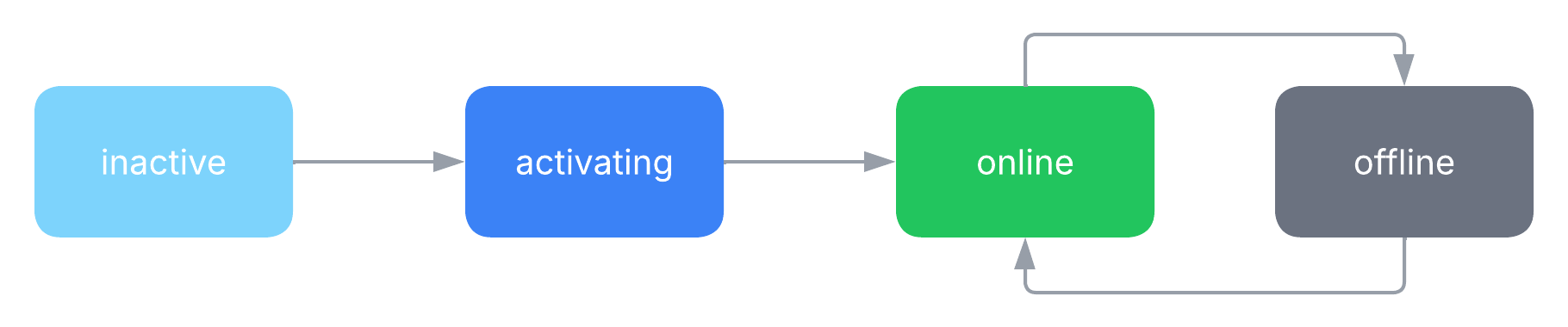 Devices begin in the
 inactive state. During the Miru Agent install process, devices briefly enter the activating state before transitioning to online.
Once the Miru Agent has been activated on a device, the device remains online or offline for the remainder of its existence—devices don’t transition back to inactive or activating.
The only exception to this is when a device is reactivated. During reactivation, devices briefly enter the activating state before transitioning back to online.
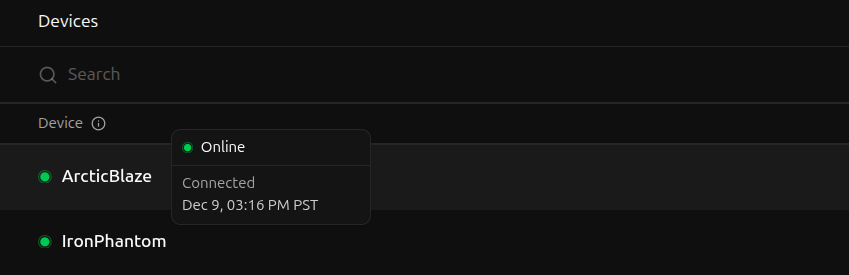
To view a device’s status, hover over its name on the Devices page.