

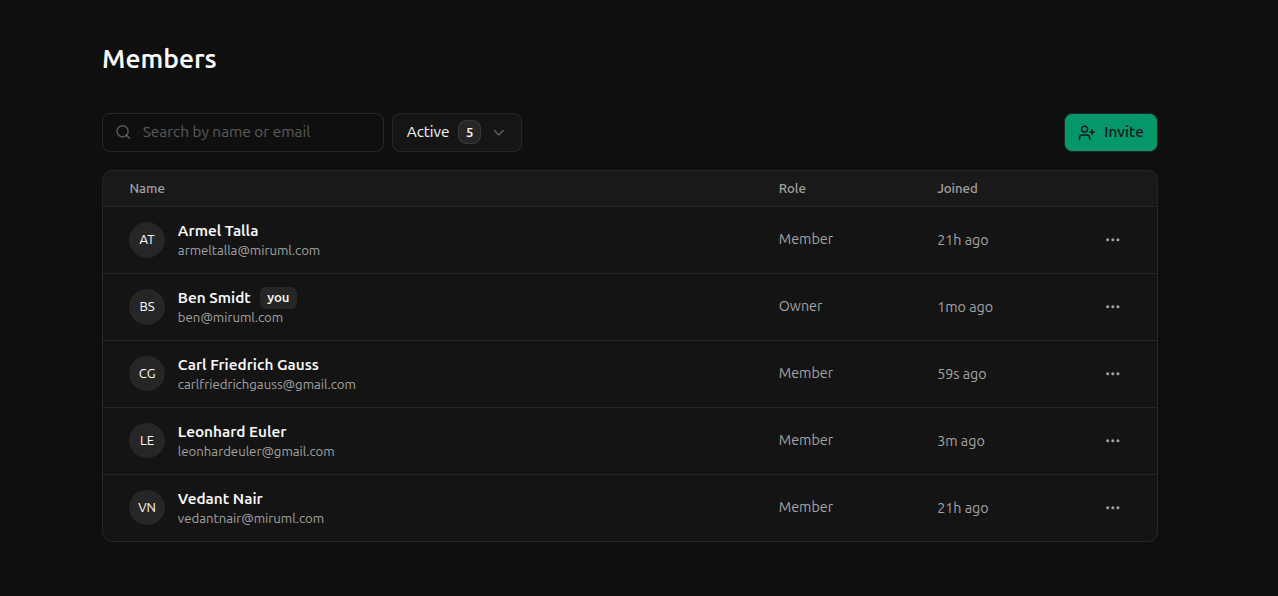
Roles
Roles are the access levels of a user in a workspace. There are three roles:owner- total access to the workspace; exactly one per workspaceadmin- administrative and application access to the workspace; is subordinate to the ownermember- application access to the workspace but no administrative privileges
Admin permissions
Owners and admins hold administrative privileges while members do not. Such privileges grant them the following permissions:| Permission | Description |
|---|---|
api_keys:create | Create a new API key |
api_keys:update | Update an existing API key |
api_keys:delete | Delete an existing API key |
invites:create | Send an invite |
invites:resend | Resend an invite |
invites:revoke | Revoke an invite |
users:suspend | Suspend a user |
users:update | Update another user (their name) |
users.role:update | Update another user’s role |
workspaces:update | Update the workspace |
- Owners cannot be suspended
- Owners cannot have their role changed by another user
Owner permissions
As mentioned above, a workspace must have exactly one owner. Thus, owners cannot leave their workspace (or be suspended). However, owners can transfer ownership to another member. Thus, in addition to the above admin permissions, owners also have a special permission for transferring workspace ownership:| Permission | Description |
|---|---|
workspaces:transfer | Transfer workspace ownership to another member |
Member permissions
Members hold application access to the workspace without administrative privileges. We won’t detail every single permission here. Suffice to say, members can perform any action that is not an administrative or owner-only action. This includes creating devices, deploying configurations, etc.Statuses
To maintain an accurate audit trail of user activity, users cannot be deleted from a workspace. However, users can be suspended by an admin or leave the workspace themselves. As such, there are three possible statuses for a user:active- the user can login and access workspace resourcessuspended- the user’s access was revoked by an admin; the user cannot login to the workspace nor access any resourcesleft- the user has left the workspace; the user cannot login to the workspace or access any resources
Properties
The following properties are used to identify and manage users.first_name
mutableThe first name of the user. Must contain between 1 and 48 characters.Examples:
John, Janelast_name
mutableThe last name of the user. Must contain between 1 and 48 characters.Examples:
Doe, Smithemail
role