


Properties
The email address of the invitee.Examples:
[email protected], [email protected]The date and time the invite expires. Invites are valid for seven days from creation.Examples:
2025-11-19T12:00:00ZThe of the invitee when they join the workspace. Must be one of the following:
adminmember
Sending invites
Prerequisites
To send or revoke invites, you must be an or of the workspace. You can check your role on the members page.Send an invite
To invite a member to your workspace, navigate to the members page and click Invite in the top right corner. Next, supply the email addresses of the members you want to invite as a comma-separated list, select their , and hit Send.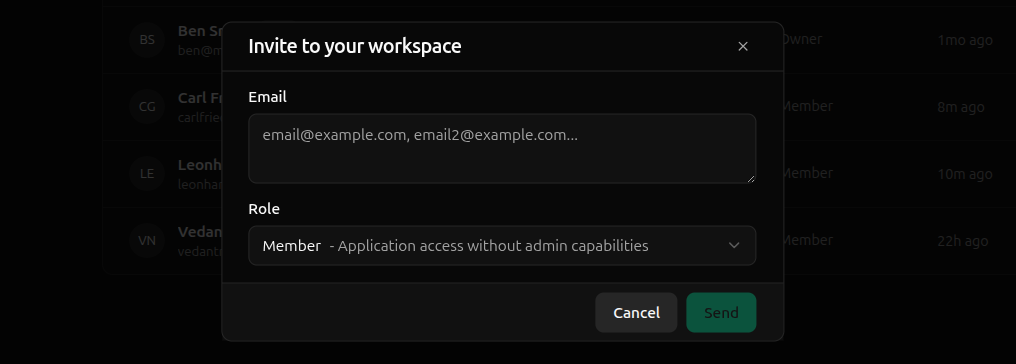
Revoke an invite
To revoke an invite, navigate to the pending invites tab in the members page. Click the ellipses (…) of the invite to revoke and hit Revoke Invite.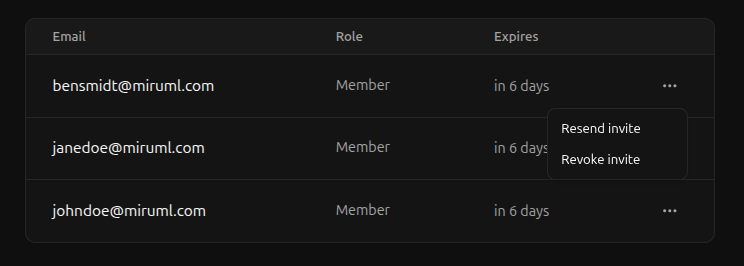
Resend an invite
Resending an invite sends a new email to the invitee but does not affect the invite in any way — previous emails remain valid, and the invite’s expiration date is unchanged. Since resending an invite does not extend its expiration date, invitees must still accept it within seven days of its original creation. To give the invitee more time to accept, create a new invite. To resend an invite, navigate to the pending invites tab in the members page. Click the ellipses (…) of the invite to resend and hit Resend Invite.Receiving invites
This section covers invites received by users who already have a Miru account. If you do not yet have a Miru account, follow the instructions sent in the invitation email to join a workspace.Accept an invite
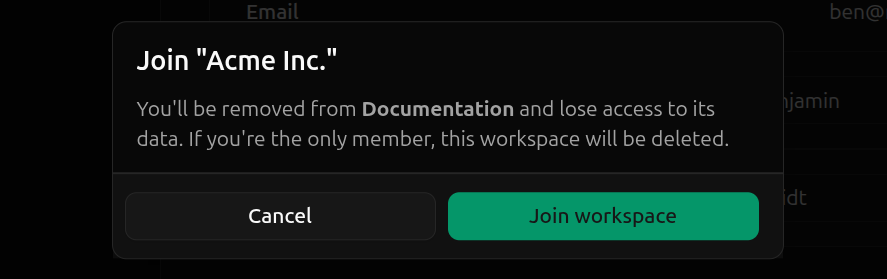
Since user accounts can only belong to a single workspace, accepting an invite from another workspace transfers you from your current workspace to the workspace you’ve been invited to:- You will lose all access to your current workspace
- Your status in your current workspace will be set to
- Logging in gives you access to the workspace you’ve accepted the invite from

Decline an invite
To decline an invite, navigate to your Profile page and hit Decline on the invite you want to decline.