

Requirements
- The schema file must be committed to a local git repository
- The git repository must have a remote URL (GitHub, GitLab, Bitbucket, etc.) configured
- The schema must be annotated with its config type (see annotations below)
Usage
The relative or absolute file system path of the schema file to push.
The version to give the schema. Must be a valid semantic version.Examples:
v1, 2.0.0, 1Allows the schema to be created even if another schema with equivalent content, but a different version, already exists for the same config type.
The language the schema is written in. The language is auto-detected but may be overridden with this flag if needed.Examples:
jsonschema, cueAnnotations
The config type is a required annotation that identifies the config type that a schema belongs to. Below is the syntax for annotating your schema with the config type slug.Examples:
mobility, safety-features, perceptioninstance file path
The instance file path is the file system location that config instances (for this schema) are deployed to relative to the The instance file path can be updated after schema creation, so don’t worry about getting it right the first time. You can always update it later.Examples:
/srv/miru/config_instances directory.This annotation is optional and defaults to {config-type-slug}.json, which deploys config instances to /srv/miru/config_instances/{config-type-slug}.json on a given device./v1/mobility.json, /safety.json, configs/perception.jsonExamples
- New Schema
- Existing Schema
If a schema with the provided version does not exist, a new schema is created.
command
Troubleshooting
- Version Conflict
- Duplicate Schema
If a schema with the same version but different content already exists, an error is returned.To troubleshoot the issue, first navigate to the Config Types page and click into the config type the schema belongs to.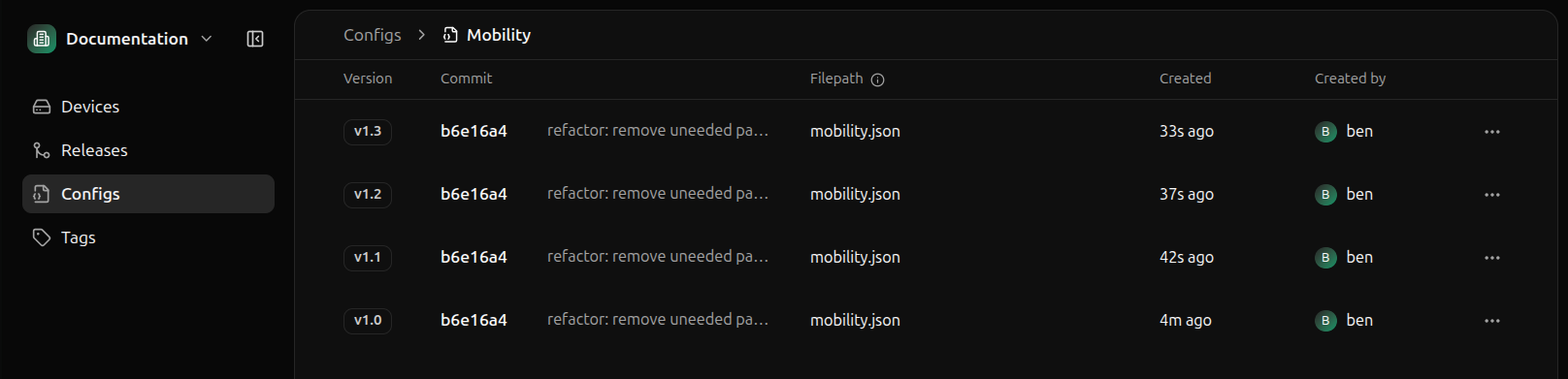 Click the schema with the version in question to open the schema details panel and view the schema content.
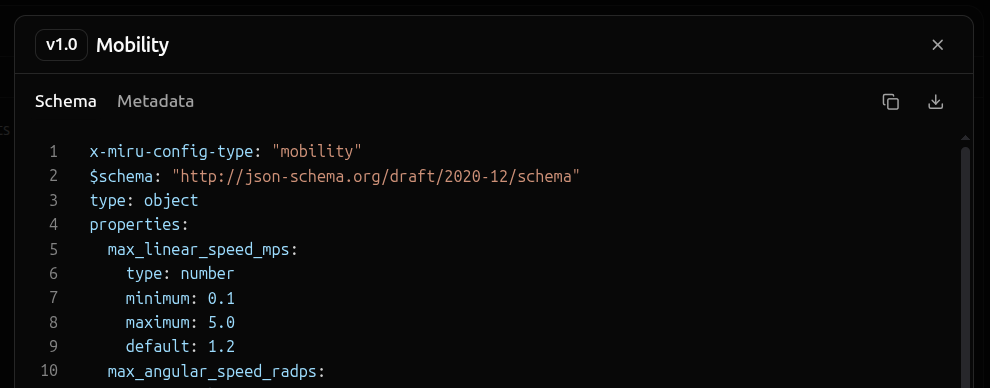 You can also select the Metadata tab to view the git commit information, which provides a link to the schema’s original commit in your hosted git repository provider (GitHub, GitLab, Bitbucket, etc.).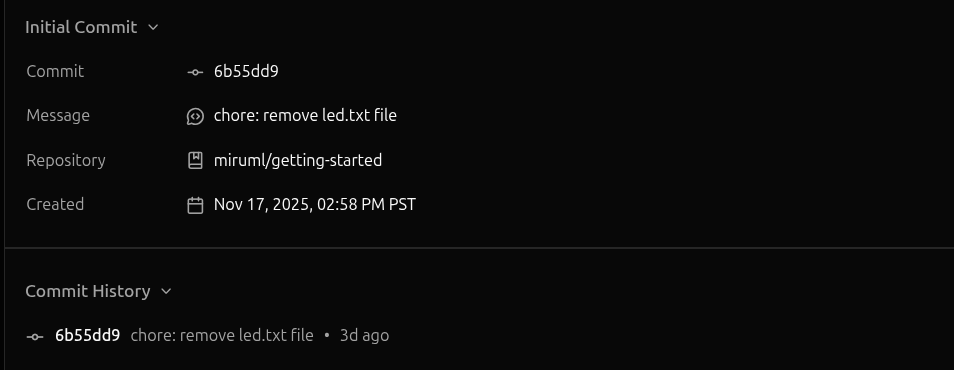
output